 About QMSالعربيةRequest a demo
QMS software
Queue management software behind every ticket and screen.
QMS queue management software runs the tickets, calls, displays and reports of your service hall. Choose QMS400i for essential to advanced queuing, or QMS700i, the most advanced QMS platform, with live dashboards, feedback and mobile app support, managed from a browser.
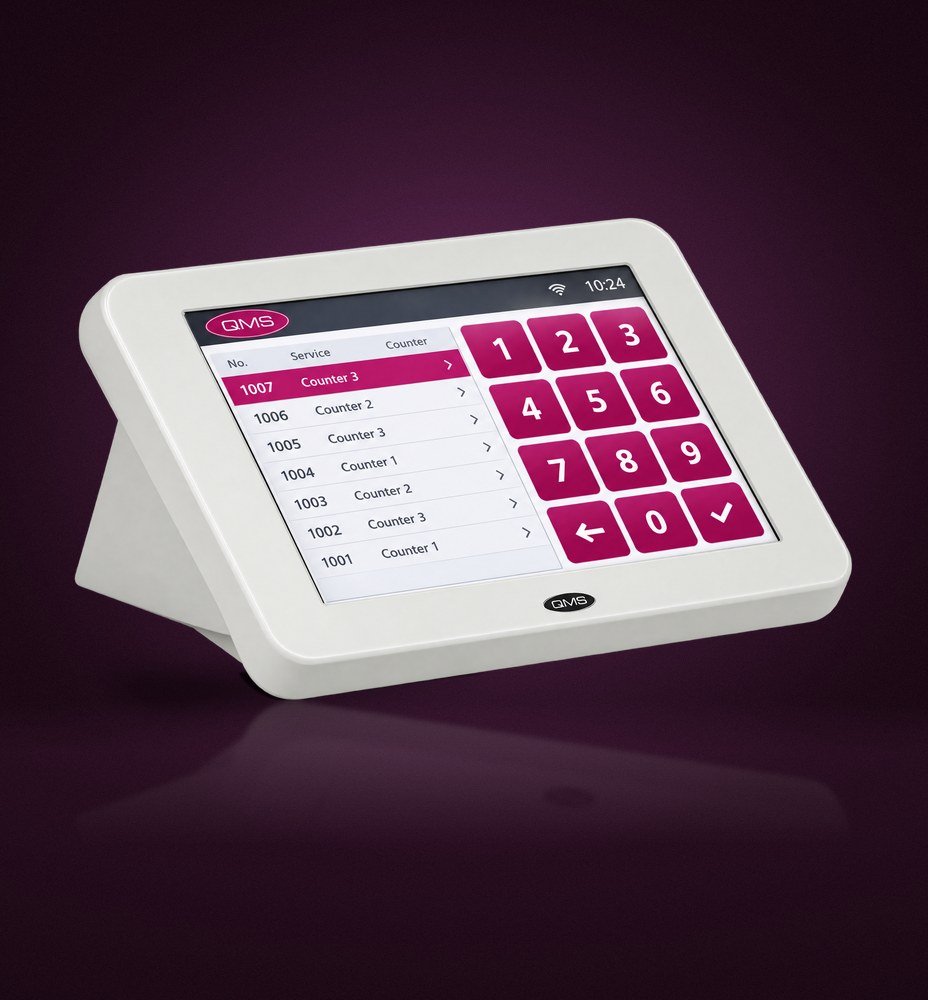 QMS counter terminal
Two platforms
Choose the system that fits your operation.
QMS400i
A new series of state-of-the-art queue management systems that caters for every queue management need, with hardware and software options from basic to advanced requirements.
- Status monitor
- Reports
- Web based
- Wireless
- Corporate control
- Ticket printer, counter terminal and main display
QMS700i
Another milestone in queue management technology, with enhancements in reliability, network security, scalability, mobile technology, installation and support.
- Dashboard and status monitor
- Reports, interactive reports and report designer
- Integrated customer feedback
- Web based with mobile apps
- Corporate control
- Ticket printers, web and keypad counter terminals, counter displays and interactive customer terminals
Inside QMS700i
Engineered for reliability and security.
Embedded queue processor
A powerful queue processor running on a stable, lightweight Linux environment.
Ethernet and WiFi
Standard Ethernet LAN for robust, high-speed communication, with WiFi supported by most devices.
Encrypted data
Encryption on wired and wireless networks protects personal IDs, passwords and financial figures.
Self-contained network
The system assigns its own local addresses and needs only one external IP address to connect to your network.
Simple installation
Standard CAT 5e cabling with modular jacks keeps wiring simple and tidy.
QMS mobile app
Visitors see waiting numbers, request tickets remotely and get notified as their turn approaches.
Web based
Manage everything from a browser.
Monitoring, reporting, maintenance and control are all done remotely through a standard web browser. There is no software to install on staff computers, future upgrades only involve the main system controller, and the web interface is quick to learn.
Each manager can personalise their dashboard to follow the service and quality indicators that matter to them, and the system remembers their view.
- Remote monitoring and control
- Personal dashboard views
- Standard and custom reports
- Integrated customer feedback
FAQ
QMS software questions.
What is the difference between QMS400i and QMS700i?
QMS400i covers core queue management with status monitoring, reports, web access, wireless options and corporate control. QMS700i adds dashboards, interactive reports, a report designer, integrated customer feedback and mobile app support, with enhanced security and scalability.
Do staff need to install software?
No. QMS is managed through a standard web browser, and a web counter terminal is available for staff calling.
Can QMS connect to our network securely?
Yes. QMS700i can run as a self-contained network that needs only one external IP address, and it encrypts data on wired and wireless connections.
Can we manage several branches?
Yes. Corporate control lets head office monitor and report on every branch from one place.
Does the software support Arabic?
Yes. Screens, tickets and voice calls work in Arabic and English, and managers use the same browser-based control panel in either language setup.
See QMS running in your branch.
Book a demonstration with a QMS specialist. We will walk through your visitor journey and show the kiosks, displays and reports that fit it.